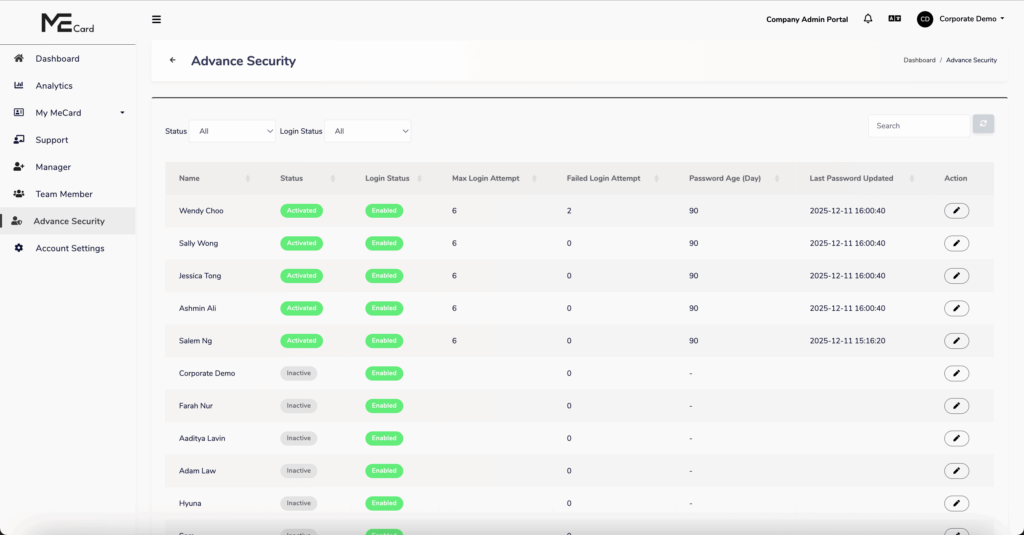
The Advanced Security section allows administrators to enforce stronger password policies and security controls for team members, managers, and Super Admin accounts. These settings help protect the system from unauthorized access and improve overall account security.
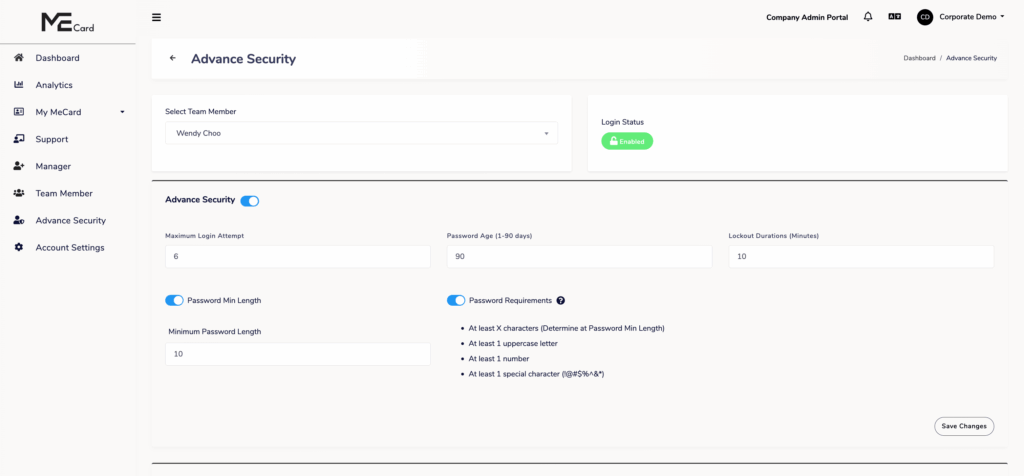
Available Security Settings
- Maximum Login Attempts
Define the maximum number of failed login attempts allowed before the account is temporarily locked. - Password Age
Set the number of days a password remains valid before the user is required to change it. - Lockout Duration
Specify how long an account will remain locked after exceeding the maximum login attempts. - Minimum Password Length
Set the minimum number of characters required for user passwords. - Enforce Password Complexity
Require passwords to include a combination of uppercase letters, lowercase letters, numbers, and special characters.
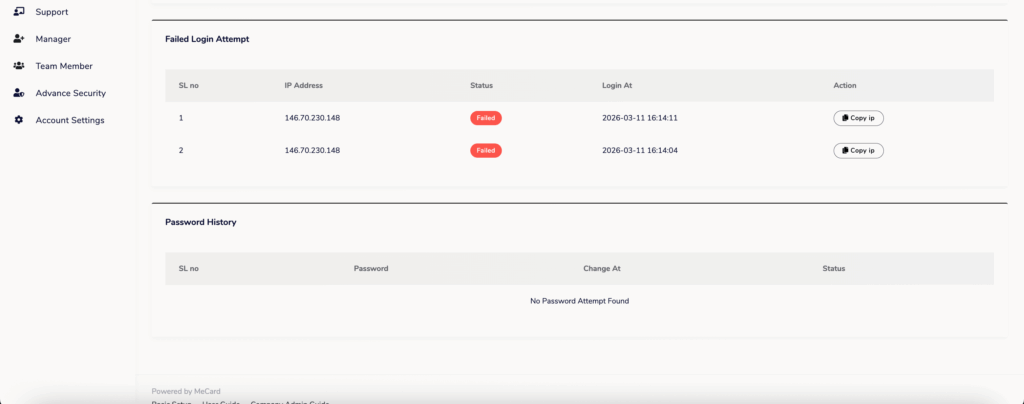
Security Monitoring
Password History Check
Prevent users from reusing previously used passwords.
Failed Login Attempts
View and monitor unsuccessful login attempts to detect suspicious activities.